Mackie Knight
WorkAboutResume
Scroll
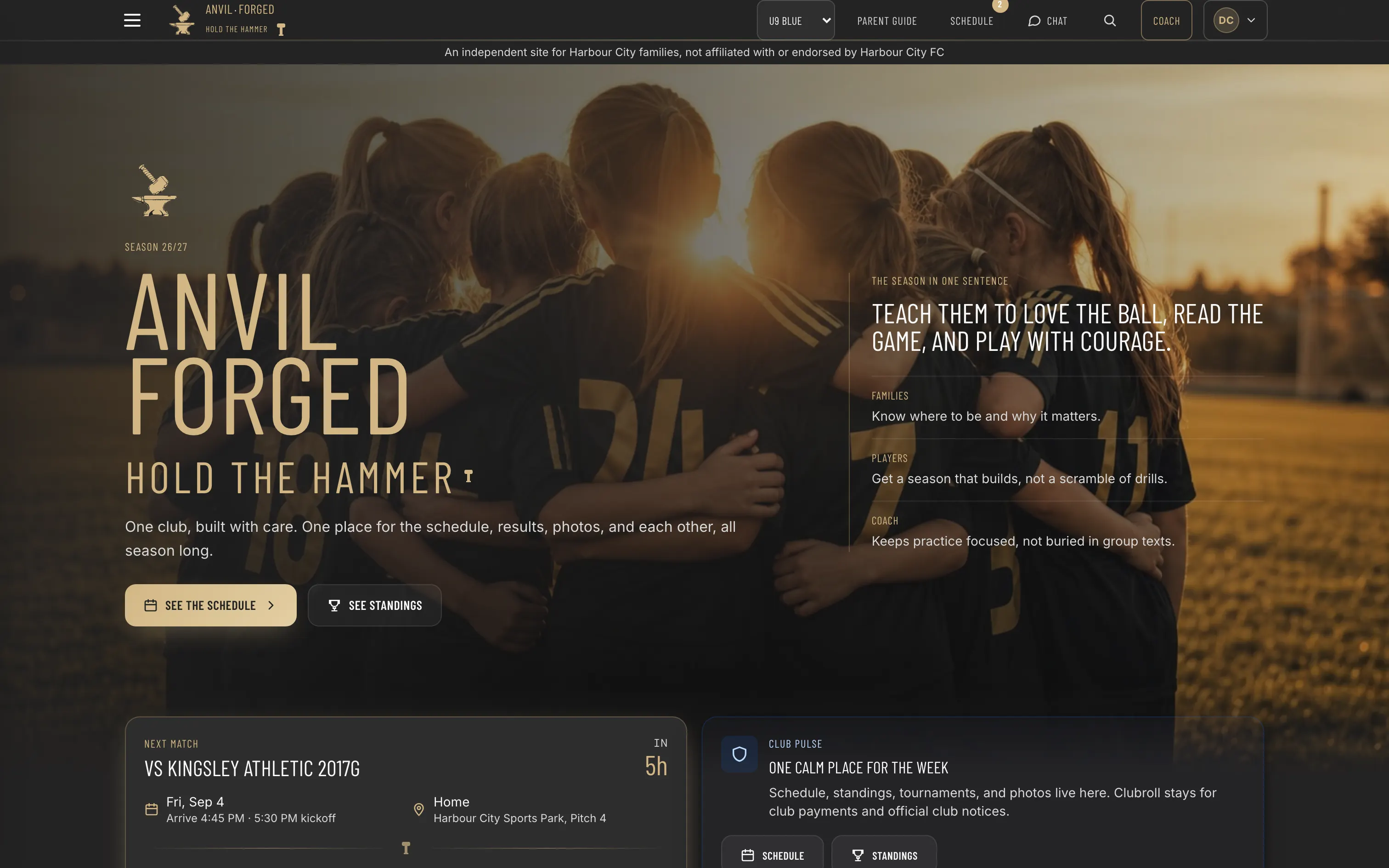
The AnvilForged home page: next match, arrival time and the two links a family opens first

02 · Live at anvilforged.club

Match day, run from a phone on the touchline.

AnvilForged

Every kid plays. The app makes sure it is true.

A season companion for the families and a real coaching console for the person on the sideline. Roster, practice planning, lineups, a live match engine, player development and the messages that go home, in one place a volunteer coach actually opens on a phone at the field.

The club’s registration and payments live elsewhere. This is everything after that.

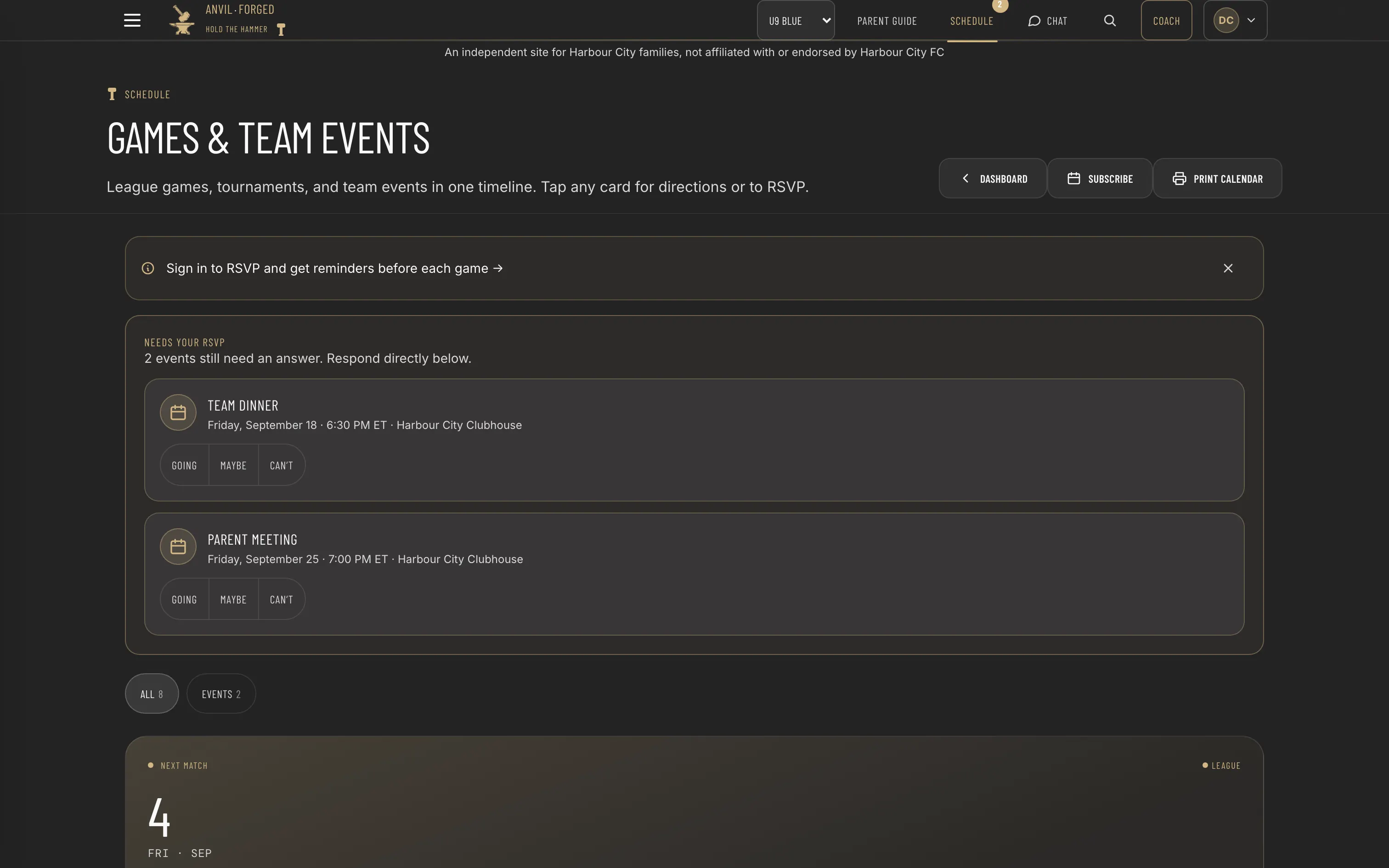
Games and team events on one timeline, with the ones still needing an answer pulled to the top

The schedule

Games and team events on one timeline.

League fixtures, tournaments and the team dinner sit in the same list, each card carrying directions and a reply. Anything still waiting on an answer is pulled to the top.
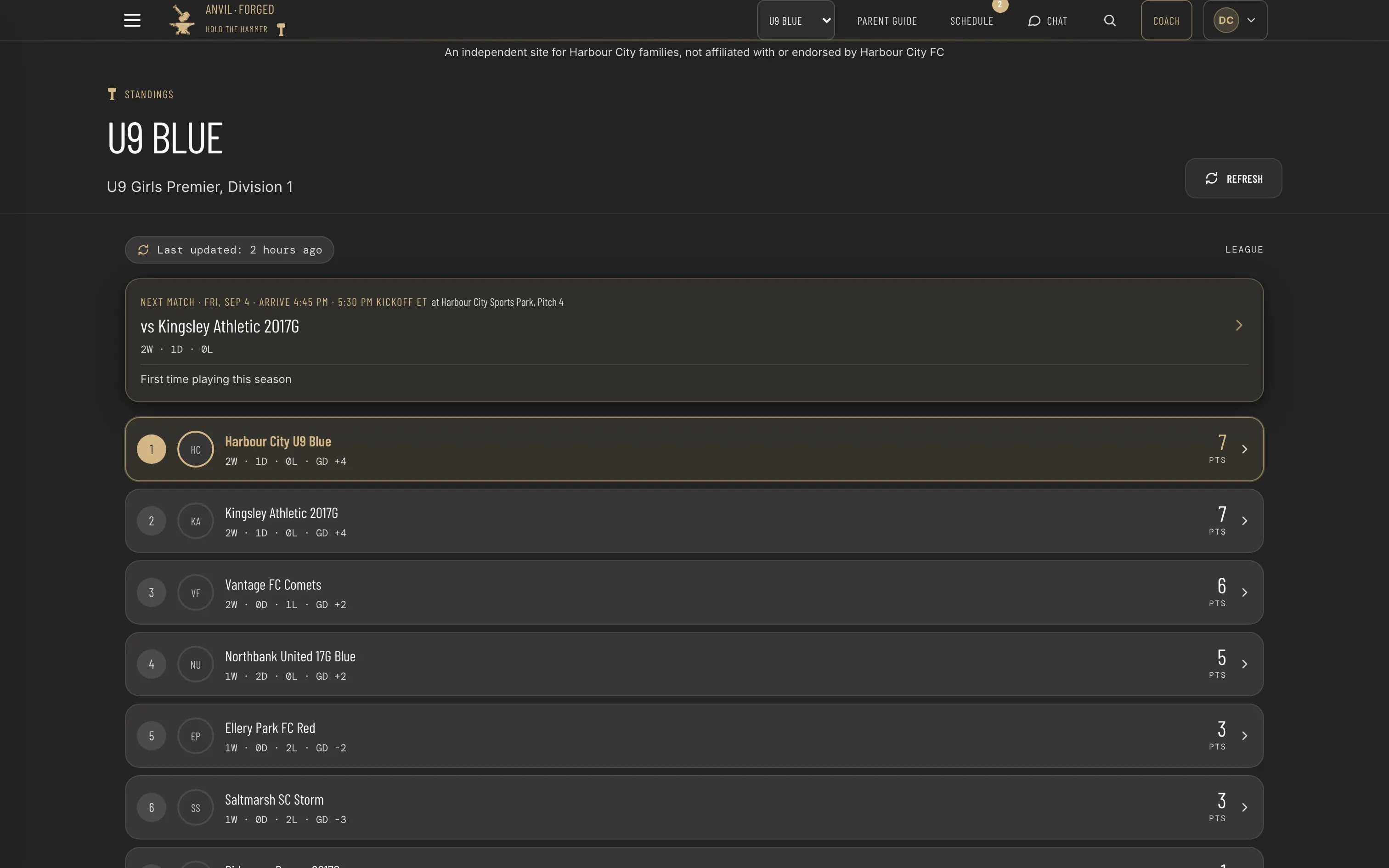
The league table with a freshness stamp and the next opponent’s record above it

The table

The league table, and when it was last true.

Positions come from the league feed with the time of the last fetch stated on the page, so nobody reads last month’s table as this week’s. The next opponent and their record sit above it.

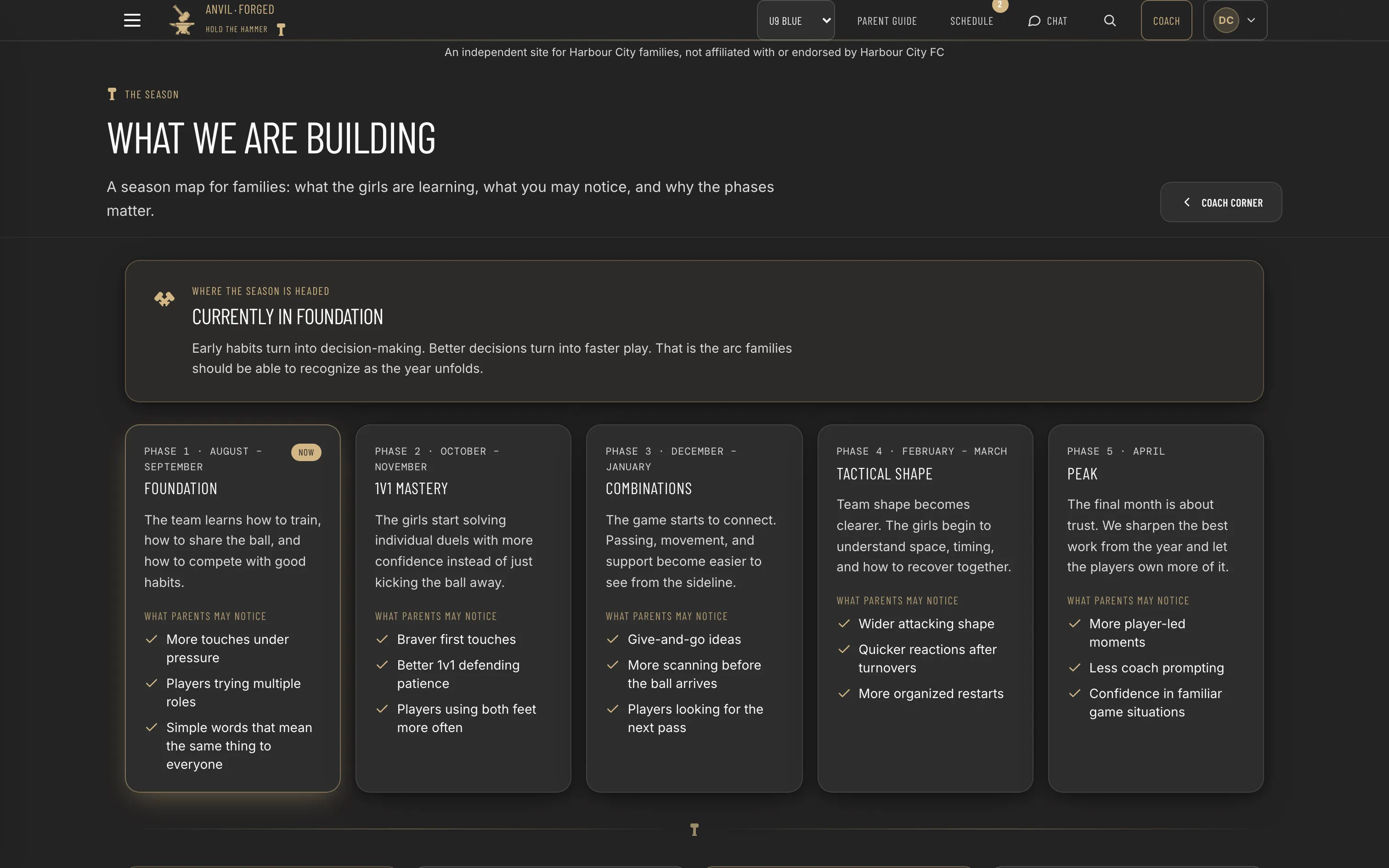
Five season phases in order, each with what a parent may notice

The season

What the year is actually building.

Five phases in order, each with what a parent should expect to notice while it is running. It answers the question every family asks in October, about why training still does not look like a match.

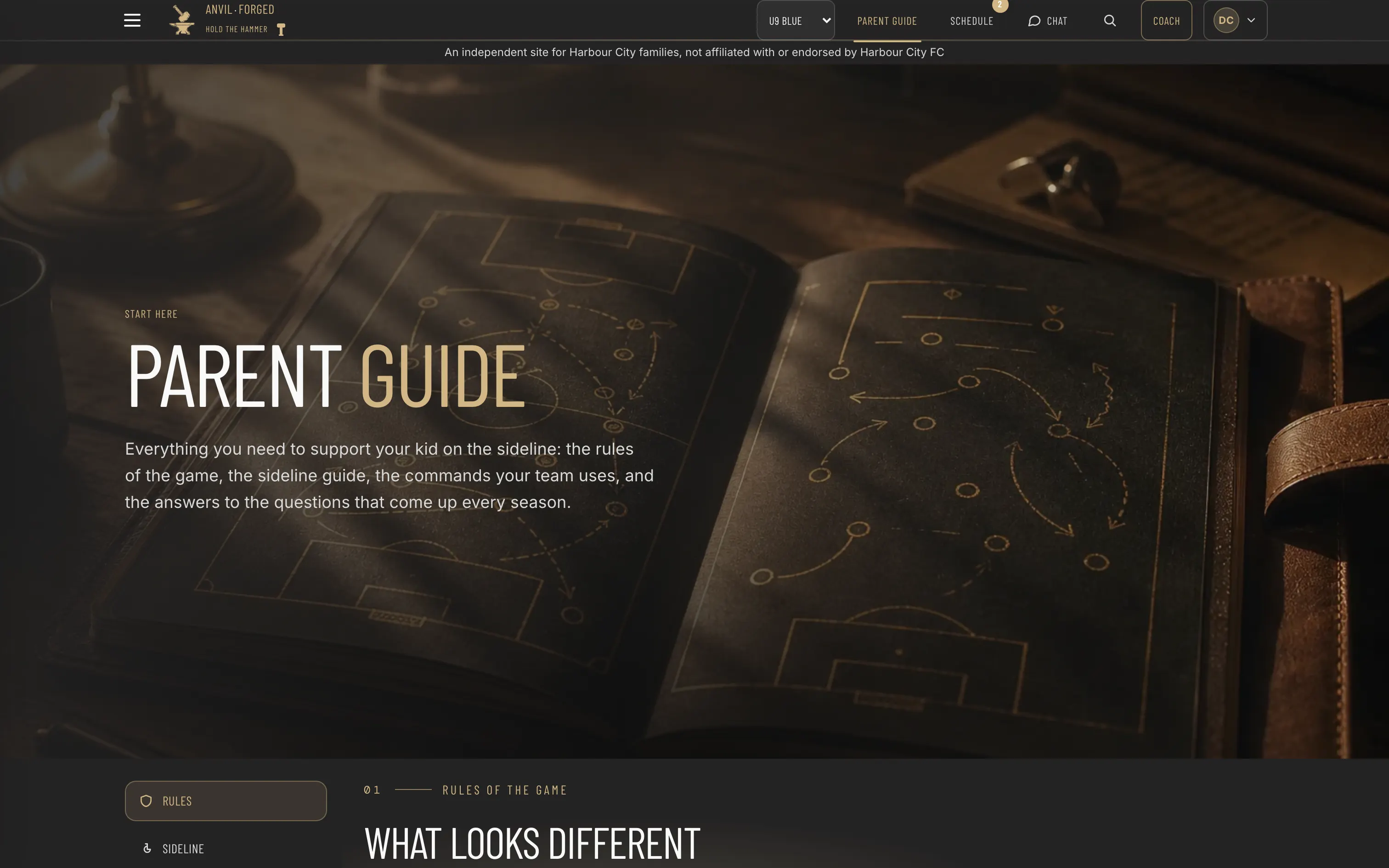
The parent guide: rules, sideline behaviour, the commands the team uses

The parent guide

The rules, the sideline, the words the team uses.

Small sided rules, what helps from the touchline and what does not, the commands the players are taught, and the questions that come back every season. Written for the adult, not the child.

Coach mode

The half of the app most people never see.

Off

It is a switch, per team.

Coach mode is off by default and on for the team whose coach is running it. Everything below sits behind that switch and behind a role, so a parent signing in gets the season companion and nothing else.
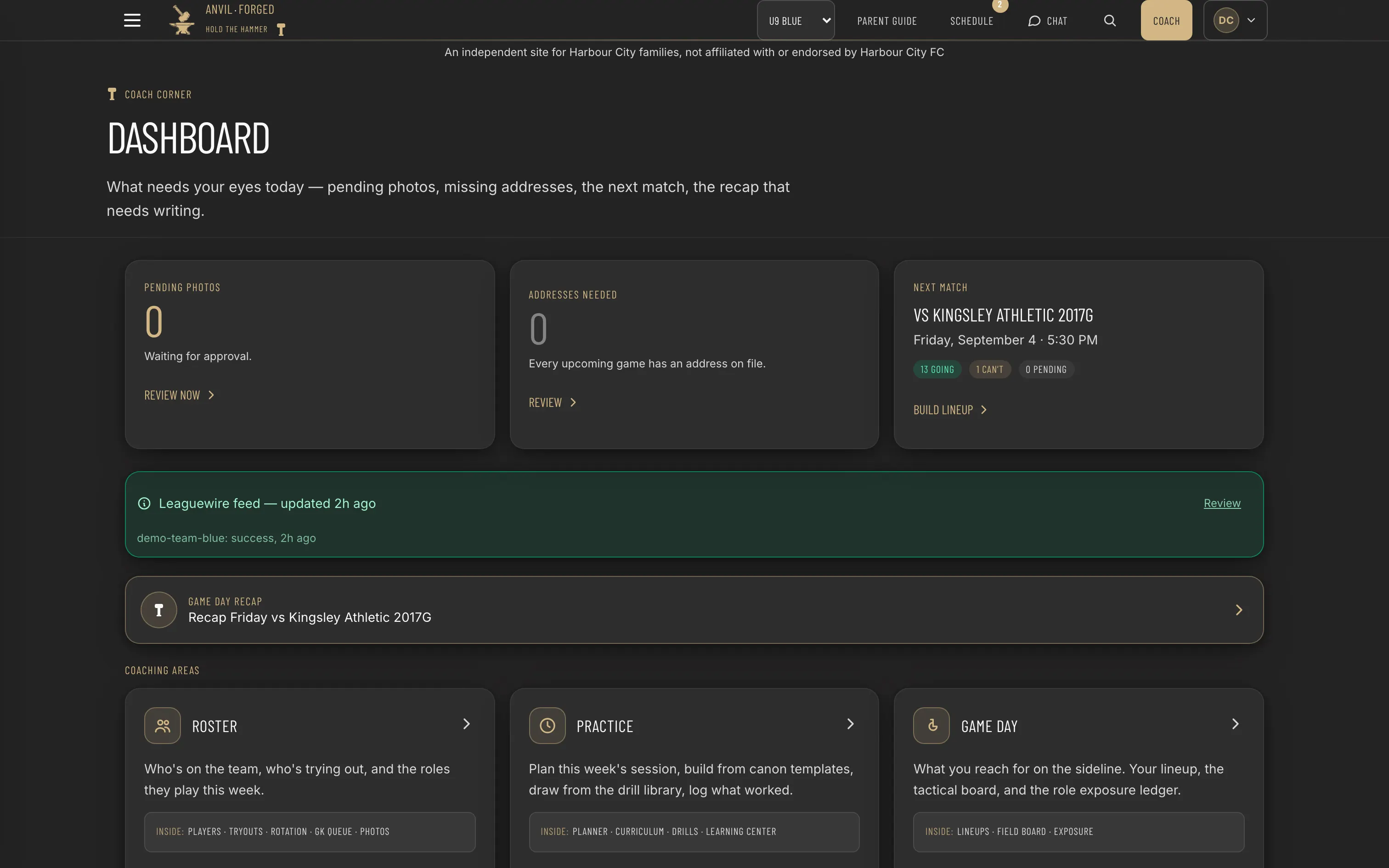
The Coach Corner dashboard: pending work at the top, then six coaching areas

01 · Coach Corner

Six areas. One place to open.

The front door opens on what needs attention today: photos waiting, the next match, the recap nobody has written. Under that, everything a coach does is grouped into six areas, consolidated down from twenty-one tiles.

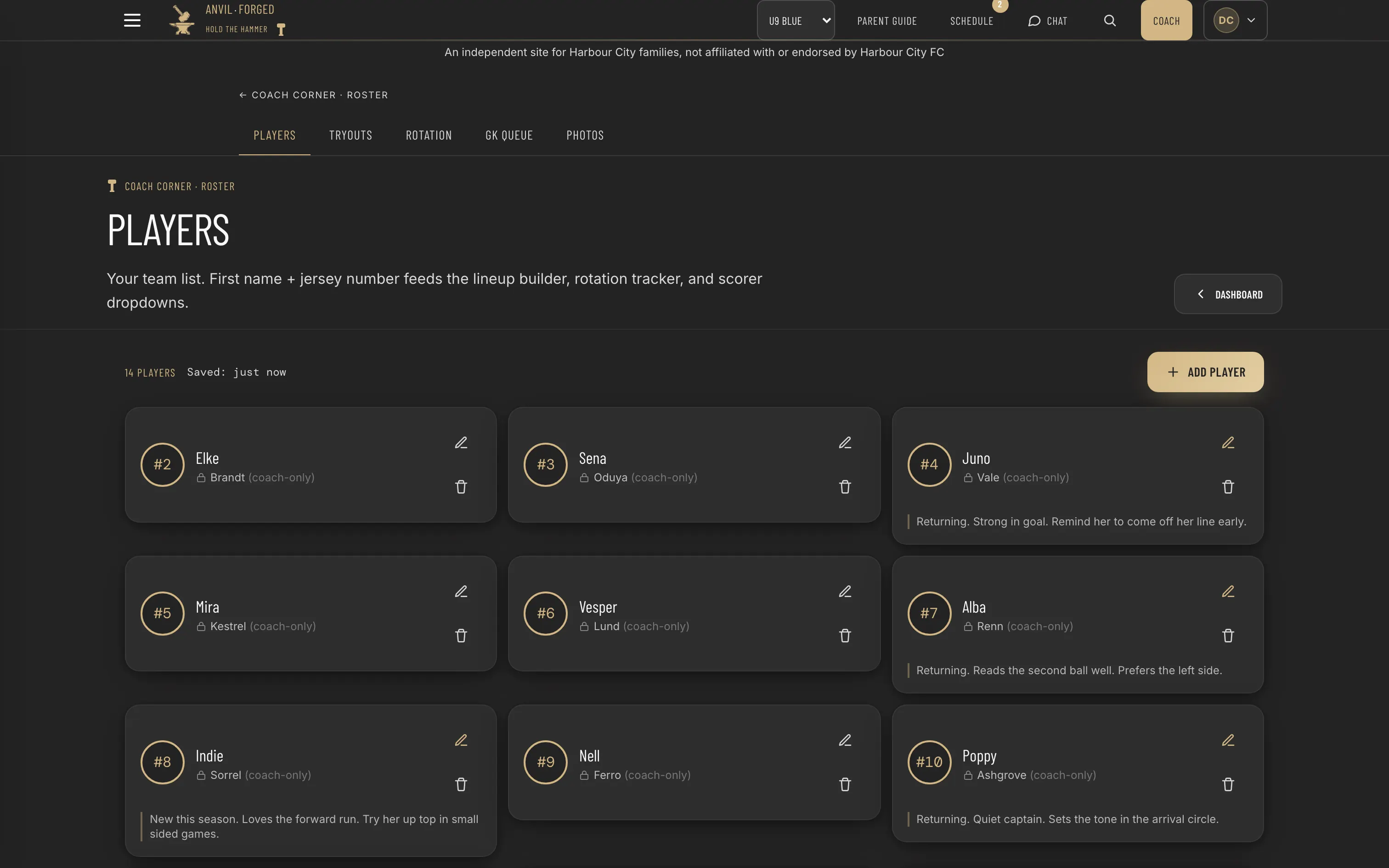
The roster: first name and jersey number on each card, surnames marked coach only

02 · Setting the week up

Who is on the team, what the session is, what gets taught.

The team list is a first name and a number, and it feeds the lineup builder, the rotation maths and every dropdown that names a player, with surnames kept coach only. A session is planned from a curriculum template or built by hand out of a diagrammed drill library, and stays a draft until it is published. The teaching boards are sixteen laminated questions in progression, and every one of them prints, because they get used on grass.

The game day area: a forty-five minute pre-game frame above six tools

03 · Game day

Forty-five minutes, in order.

The window before kickoff is a timed sequence rather than a scramble: arrival circle, warmup, lineup, captain walk on. The six tools under it are what each block of that sequence needs.

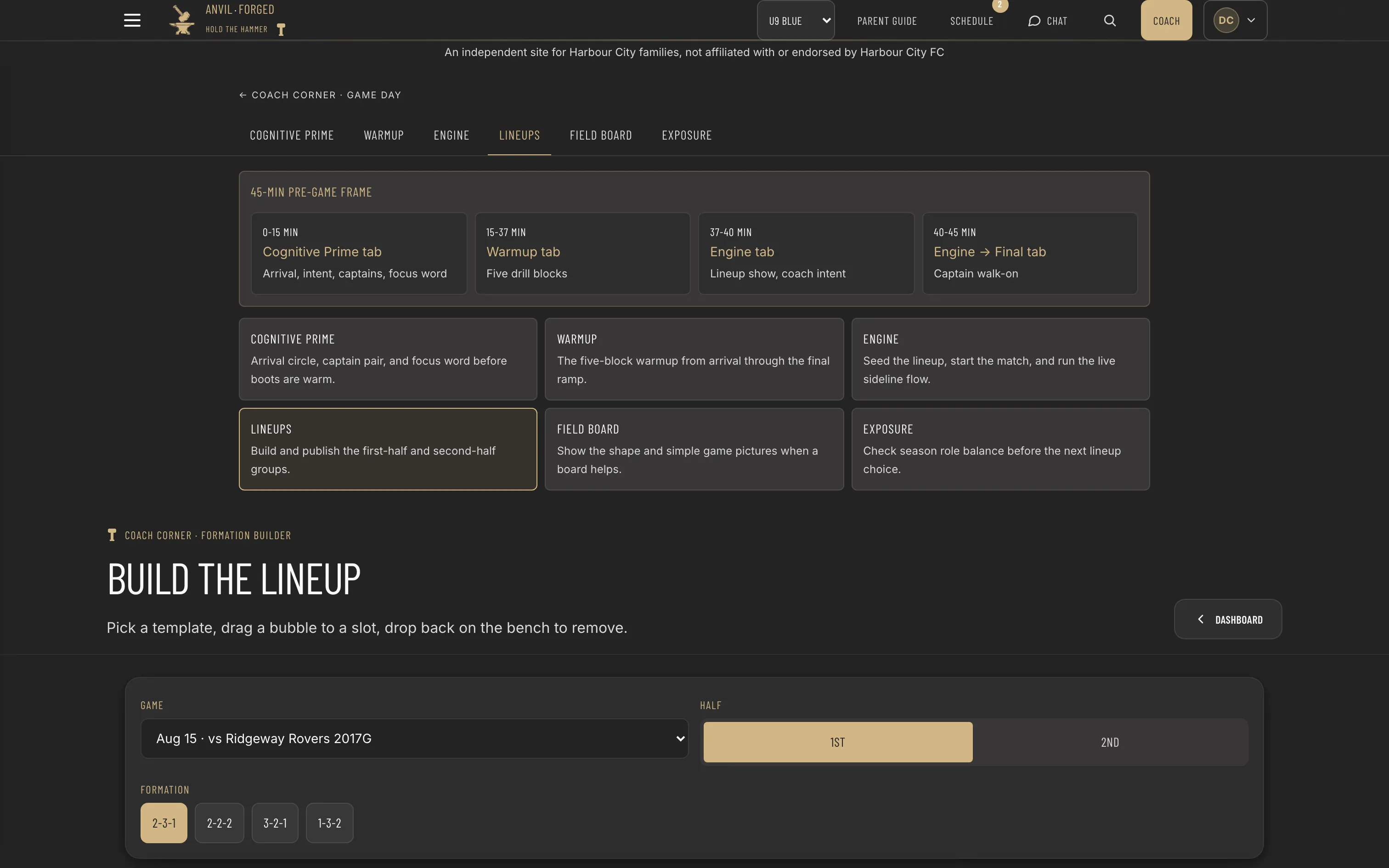
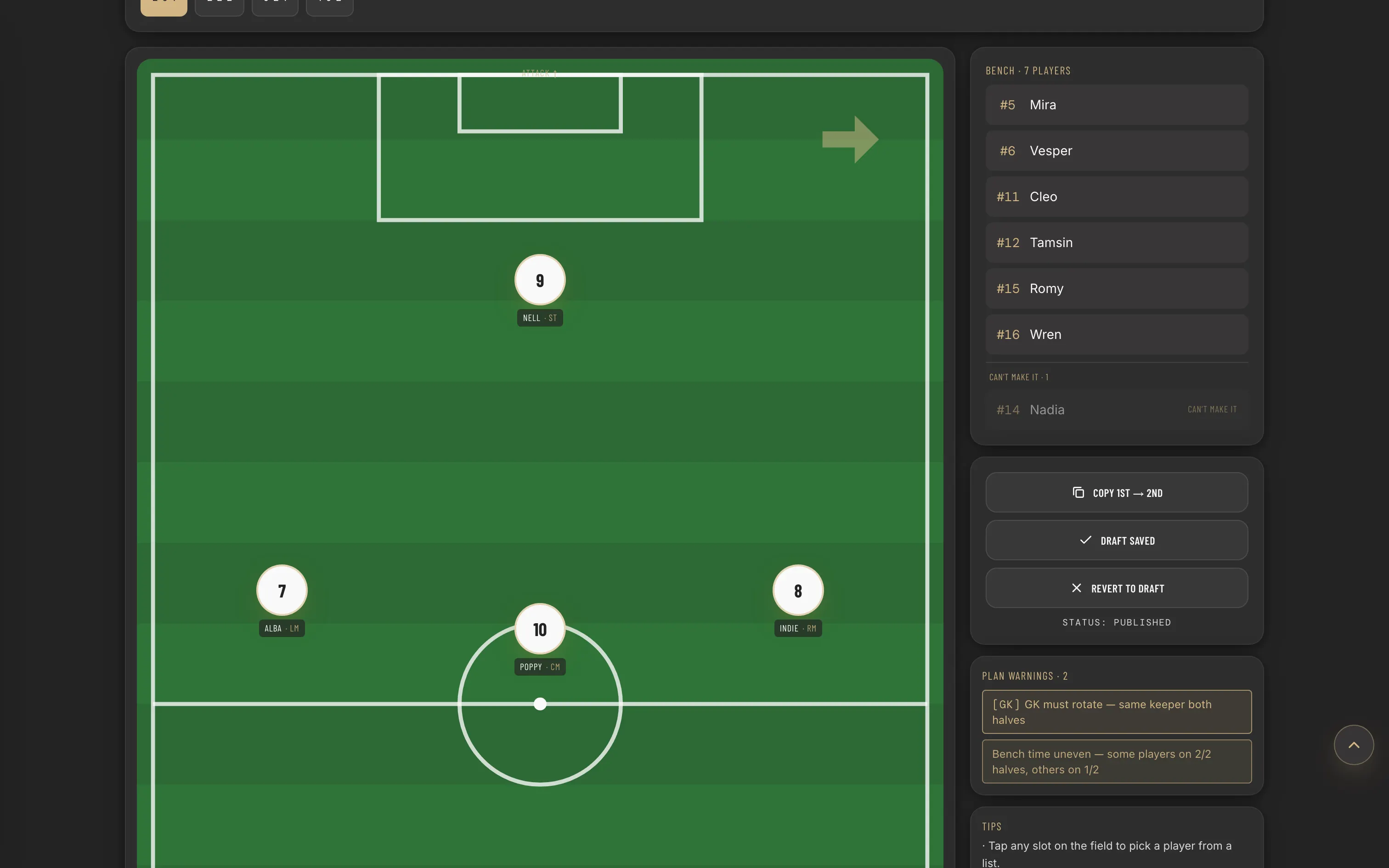
The lineup builder: a pitch with players placed, a bench beside it and two plan warnings

04 · Lineups

Drag a bubble onto a slot, and the warnings watch.

Both halves are built on a pitch and saved as a draft. Publishing is a separate deliberate act that notifies parents, and a live panel first flags the same keeper twice, a player stuck in one slot, and bench time drifting past twenty percent.

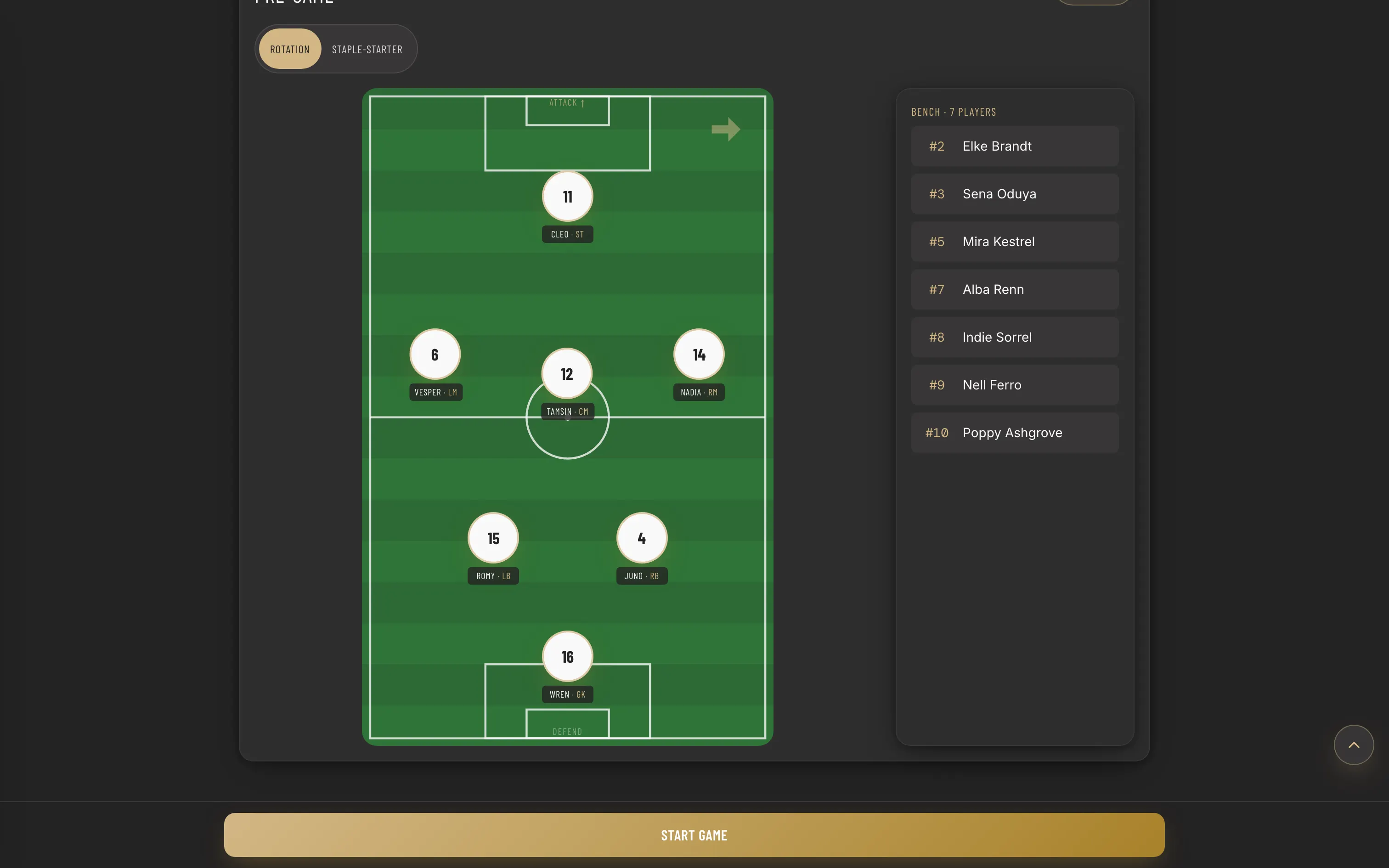
The live match engine seeded with an opening lineup and a bench of seven

05 · The engine

It seeds the opening lineup before you get there.

Whose turn it is, by minutes and by position, decides the seven who start and the seven on the bench, with anyone marked unavailable already taken out. Once the match is live the engine runs it as a state machine, tracking minutes by position and offering one substitution at a time, scored on fatigue, position need and the equity floor. The coach takes it or makes a different call.

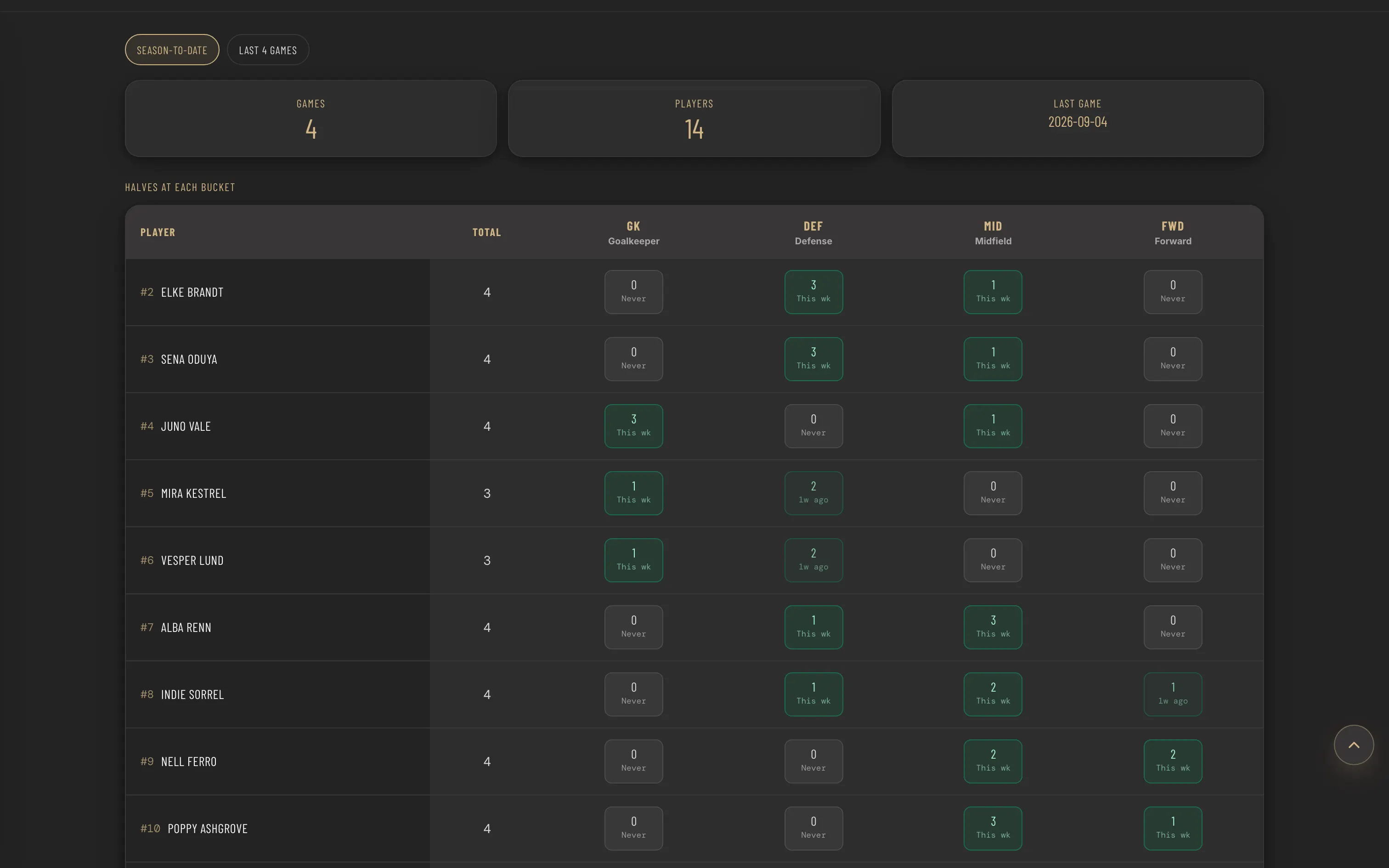
The exposure ledger: halves at each position bucket for every player

06 · The fairness maths

Whether the minutes were fair, not whether they felt fair.

Halves at each part of the pitch, per player, season to date or across the last four games. Beside it a tracker holds weeks since each player last played each position and names the one she is most overdue for, so anything three weeks or older is called out rather than left to a coach’s memory.

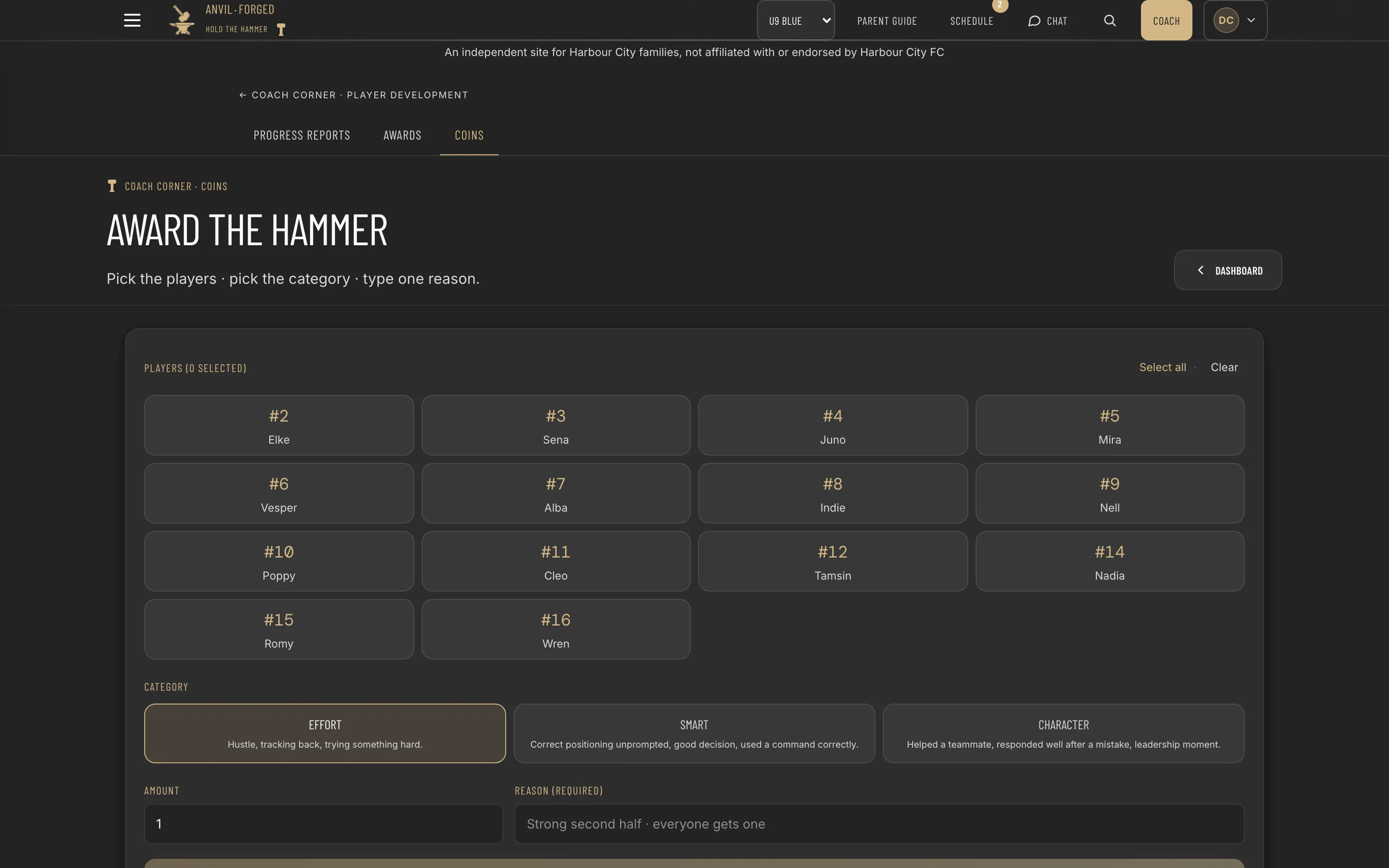
The rewards screen: pick players, pick a category, write the reason

07 · Rewards

Pick the players, pick the category, write one reason.

Coins go out for effort, for a smart decision, or for character, and the reason is a required field. The running history is what makes a coin mean anything by the end of a season.

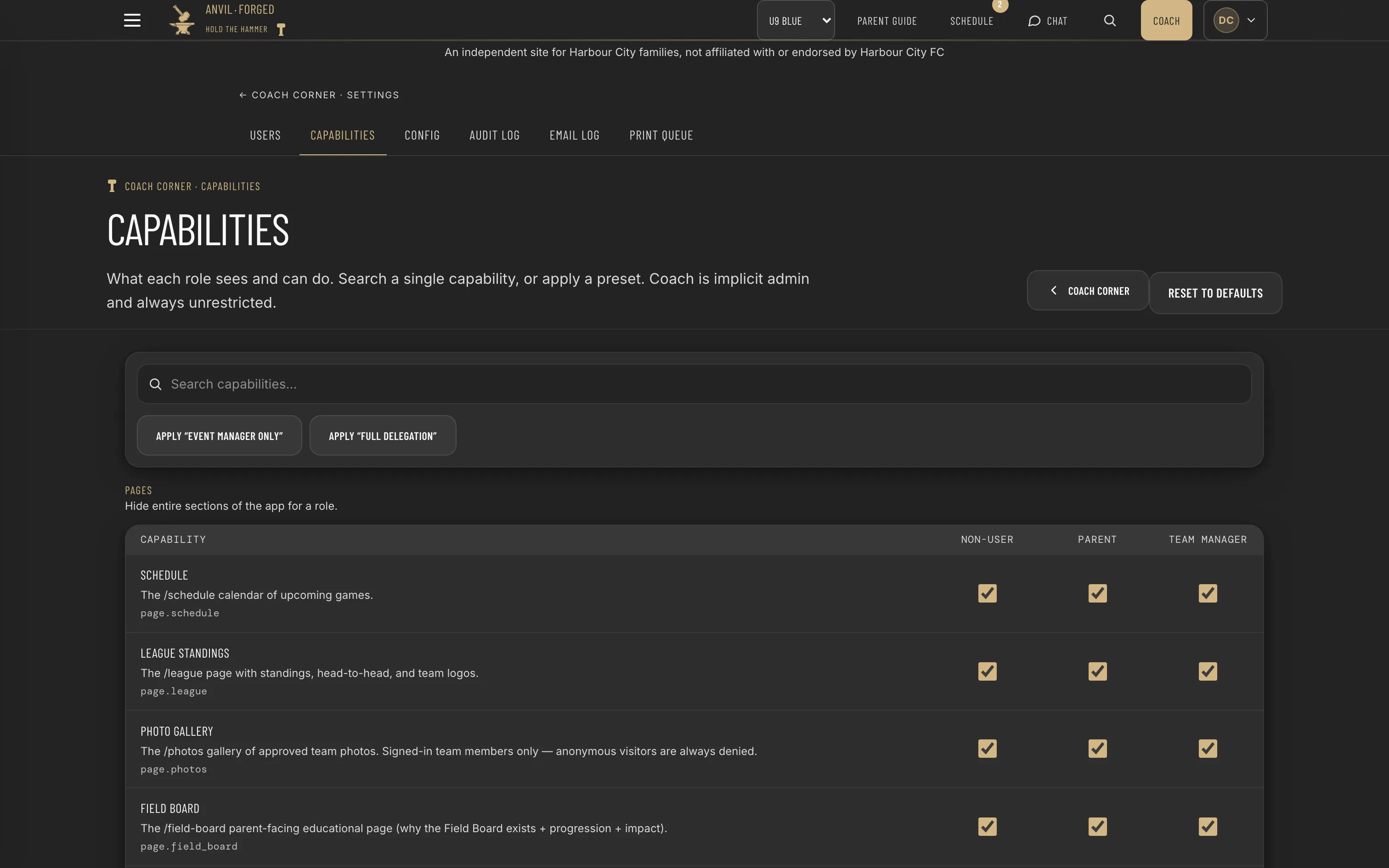
The capability matrix: every gated page and action against three roles

08 · Delegation

Hand over part of the app, not all of it.

Every gated page and action sits in a matrix against three roles, with two presets and a preview of the difference before anything commits. It is how a coach gives a team manager the events and the photos without giving them the progress reports.

Match day

The whole day is a sequence, and the app runs it.

Before

Forty-five minutes, in order.

Arrival circle and a one-word focus for the day. A five-block warmup tied to the week’s teaching point. Then the engine proposes an opening lineup, weighted by whose turn it is, with anyone marked unavailable already removed.

During

A state machine, not a stopwatch.

Pre-game to live to half-time to live to post-game. Minutes per player per position are tracked as they happen, and one substitution at a time is recommended with its reason. The coach stays in charge of the call.

After

Nothing goes home until it has been written.

Every player who appeared, their moments and minutes, two fixed questions for the coach, and a personal line per child that has to be written and reviewed before the batch to parents unlocks.

What it solves

The three decisions I would defend.

01

Fairness is enforced in code, in three places that agree.

The lineup builder warns when the same keeper plays both halves or the bench time drifts past twenty percent. The season tracker shows weeks since each position. The live recommender scores the bench by exactly the same logic. A slogan on a page would have been easier. This is checkable.

02

Two rotation policies, chosen on purpose.

Rotation mode cycles everyone through everything. Staple-starter mode gives a few players steadier minutes, with an equity floor and a maximum bench window before they must rotate off. Real coaching has that tension. The product admits it and makes the coach choose.

03

The messages that go home cannot embarrass anyone.

Half-time cues and the parent watch-for lines are drafted automatically and run through hard rules: no jargon, never a keeper’s rotation status, a length cap. The kind of guardrail you only build after sending one bad message to a parent group.

Live, in season, at anvilforged.club.

Built for one club and one coaching staff first, with the data model already shaped for several teams under one roof. Every screen above is a capture of the running product against a seeded demo state: an invented club, an invented roster, invented opponents. No child, parent or family from the real team appears anywhere on this site.

Visit the site